Placement Information Now Available
Good Morning Families,
Please see the steps below to locate teacher assignment and placement information. We look forward to seeing all of you on the first day of school, Wednesday September 3rd!Sincerely,
Valerie Kelly, Principal
Step #1: In order for you to see your child’s teacher assignment for the upcoming year, you need to be able to log into PowerSchool. Here is the link:
https://dyregional.powerschool.com/public
You should now see this screen:
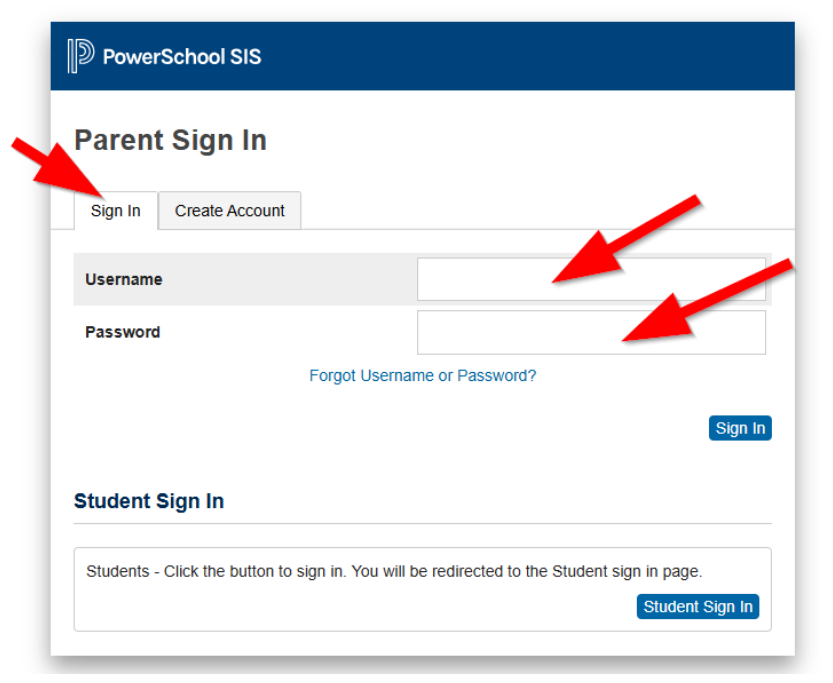
If you do not have an account, please contact your child’s school and the school will send you a username and password to your email. Do not try to create an account on your own.
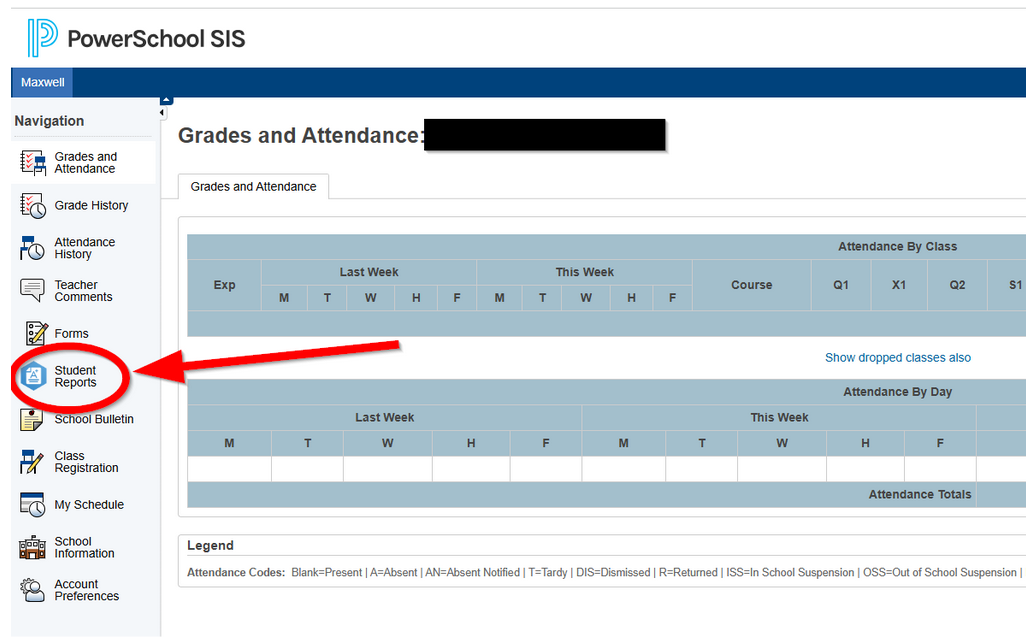
Step #2: After logging in, you should see the screen below. You will be on the Grades and Attendance side tab. You want to click on Student Reports.
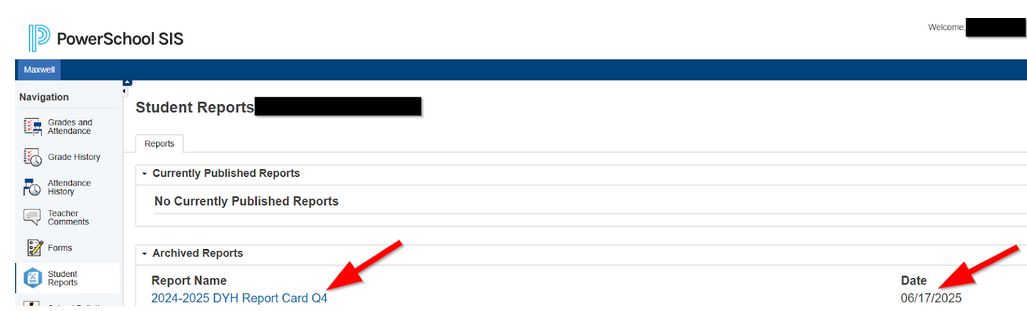
Step #3: Once your child’s school has uploaded your child’s teacher assignment, you will see it under Student Reports.
It will be the report at the top of the list. Here’s an idea of what it may look like. Instead of a report card, it will be the teacher assignment letter with a date from August 2025.